New Mailmodo users were signing up and going quiet. No clear path, no sense of progress, no reason to return. I designed a contextual onboarding checklist that guided users to their first "aha moment."
Duration
Responsibility
Tools Used
Mailmodo is an email marketing platform that lets businesses send interactive, AMP-powered emails a fundamentally different product from traditional tools like Mailchimp. That difference is powerful, but it also raises the bar for onboarding.
By the time I joined as a design intern, the product had expanded considerably campaigns, journeys, transactional email, contacts, integrations. But the onboarding hadn't kept pace. New users had no clear guidance on what to do first or why it mattered.
The Core Problem
New users lacked direction in their first session, leading to low activation and high drop-off. Without completing key actions like domain setup or sending a campaign, users never experienced the product’s core value.
I watched recordings of new users in their first sessions. The pattern was consistent: users would land on the product, scan the interface, and hesitate. They hovered over multiple menu items without clicking, opened sections at random without context, and eventually dropped off without taking any meaningful action.

Users explore the product but hesitate before taking action, unsure where to begin.

Users don’t struggle with features they struggle with what to do first.
I worked closely with the product manager to understand what the business had already learned about activation. The PRD had already mapped the milestones that correlated with paid conversion: domain setup, contact import, first campaign sent within week one. These became the backbone of the checklist's step structure.
I audited how comparable SaaS products handled early user guidance: Notion, HubSpot and Mailchimp. The common thread in the most effective experiences was progress visibility: users who could see how far they'd come were more likely to continue.
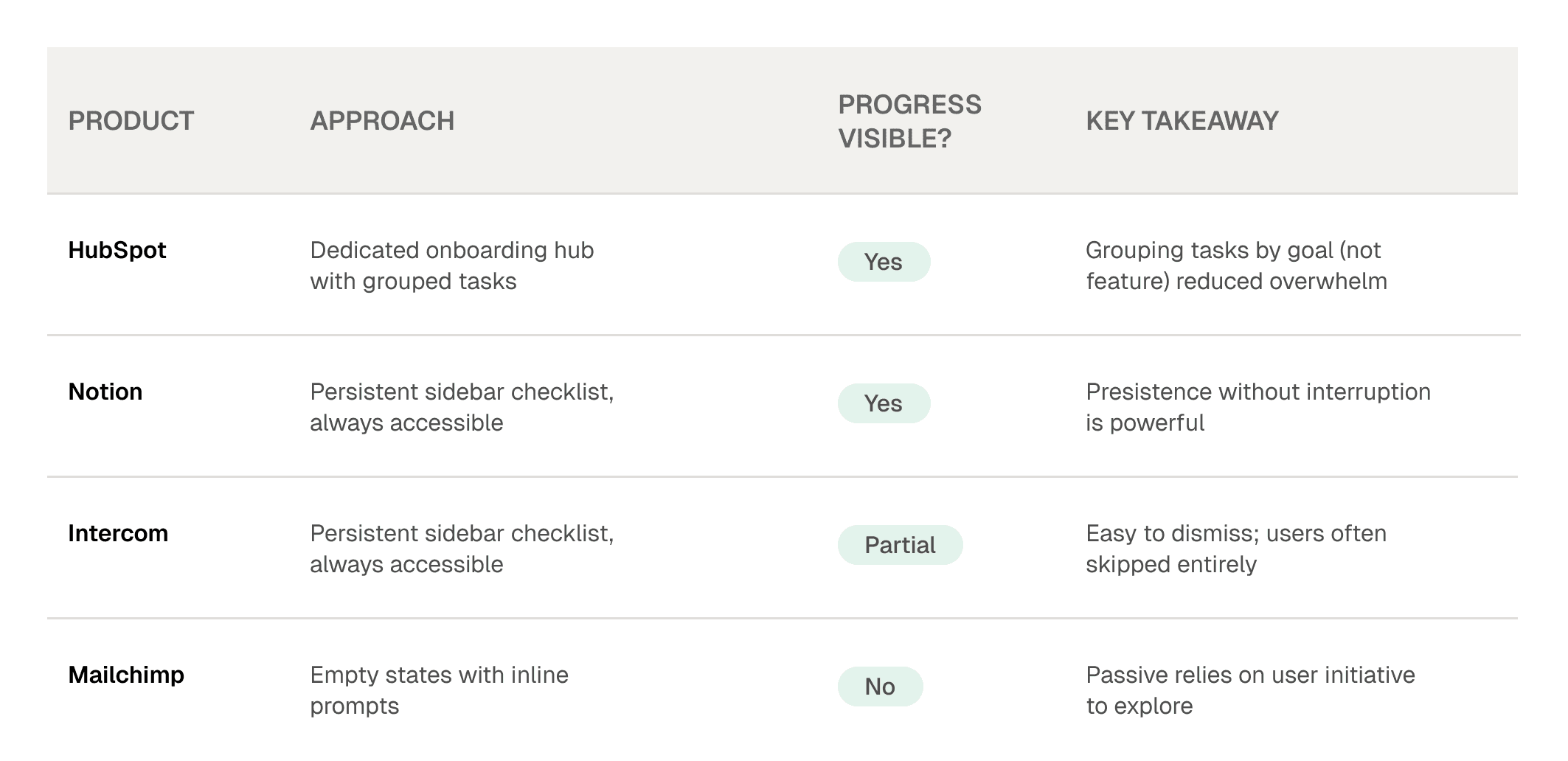
Primary Takeaway
The best onboarding experiences are persistent but non-disruptive. They live alongside the product, not in front of it. A user should be able to reference their progress at any point not just when they first sign up.
The research gave me a clear brief: build something persistent, progress-aware, and sequenced around the milestones that actually drive activation. The design challenge was figuring out how to present 7 distinct setup steps without overwhelming users or cluttering the interface.
I explored three primary directions before landing on the final approach:
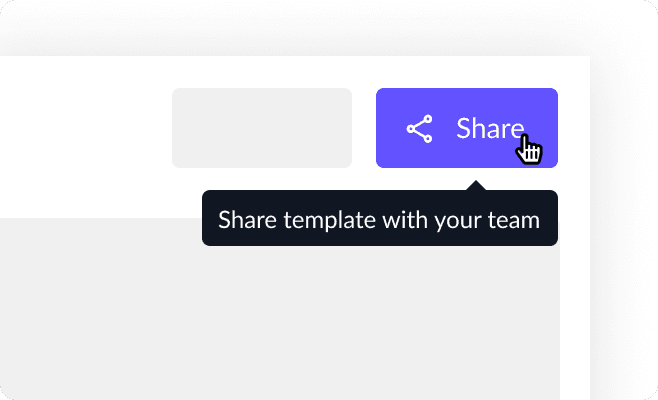
Floating widget / modal
A checklist that overlays on the screen. Easy to notice on day one, but easy to dismiss and once dismissed, often forgotten. Doesn't integrate into the product's navigation model.
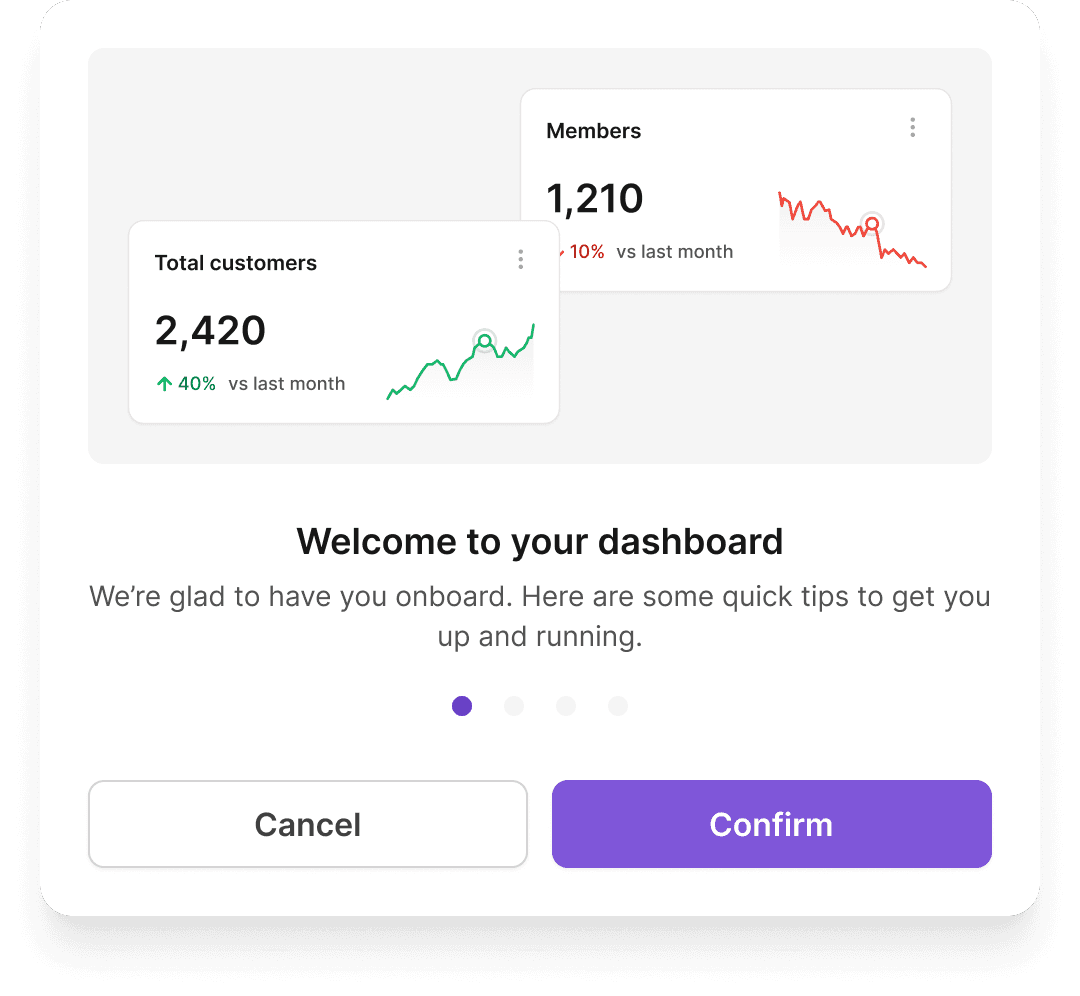
Tooltip-based walkthrough
In-context tooltips guiding users across features. Helpful for explaining UI elements, but linear and easy to skip. It lacks progress visibility and doesn’t guide the overall sequence of actions.
CHOSEN DIRECTION
Persistent nav tab with accordion
A dedicated tab in the left sidebar, always accessible without being in the way. Each step expands with context, a preview, and a direct CTA. Progress tracked at the section header level.
The sidebar tab won because it matched how users already navigate Mailmodo they weren't being forced into a different mental mode. The Getting Started tab behaves like any other tab; the difference is that it tells you what to do next.
The checklist wasn't just a list of features to set up. Each step maps to a real activation milestone something a user needs to do to get genuine value from Mailmodo. The sequence mirrors an email marketer's natural workflow, not the product's navigation structure.
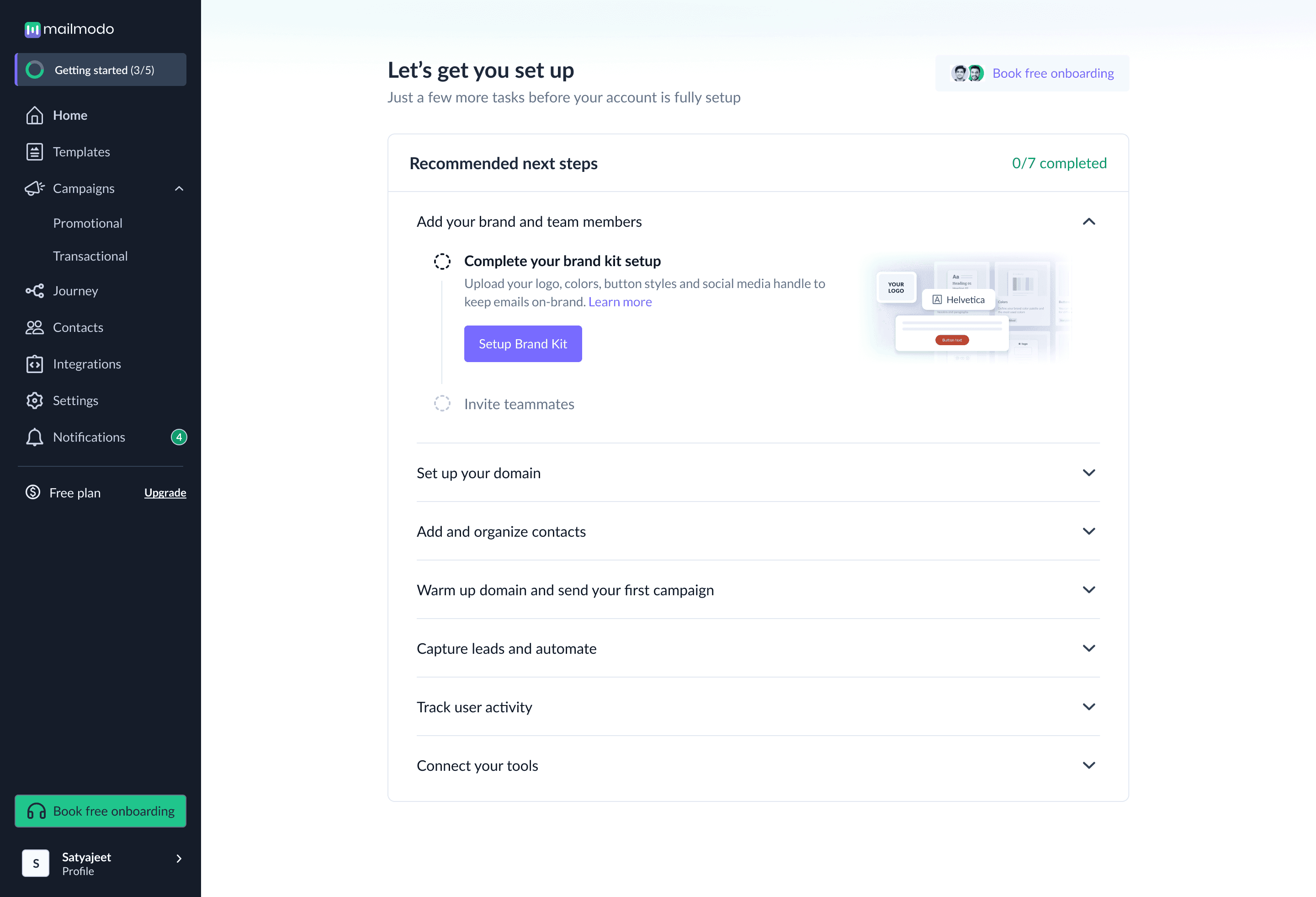
Step 1 : Add your brand and team members
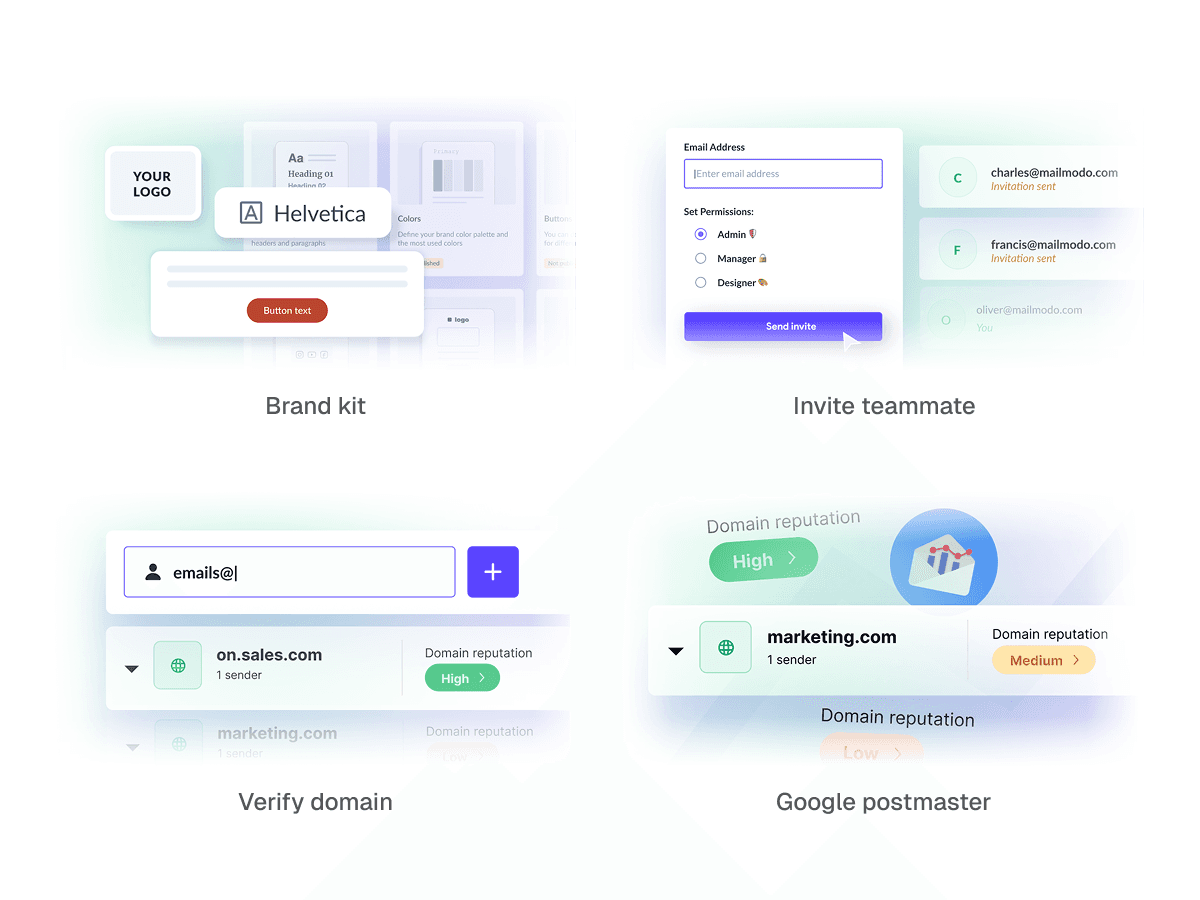
The first thing a new user sees is a blank product. This step makes it theirs. Uploading a logo, brand colours, button styles, and social handles means every email they send from Mailmodo looks consistent from day one — not like it came from a generic tool.
Brand kit setup
Design decision
This step is intentionally first because it's quick and non-technical. It builds momentum a user who personalises the product feels ownership before they've done anything hard.
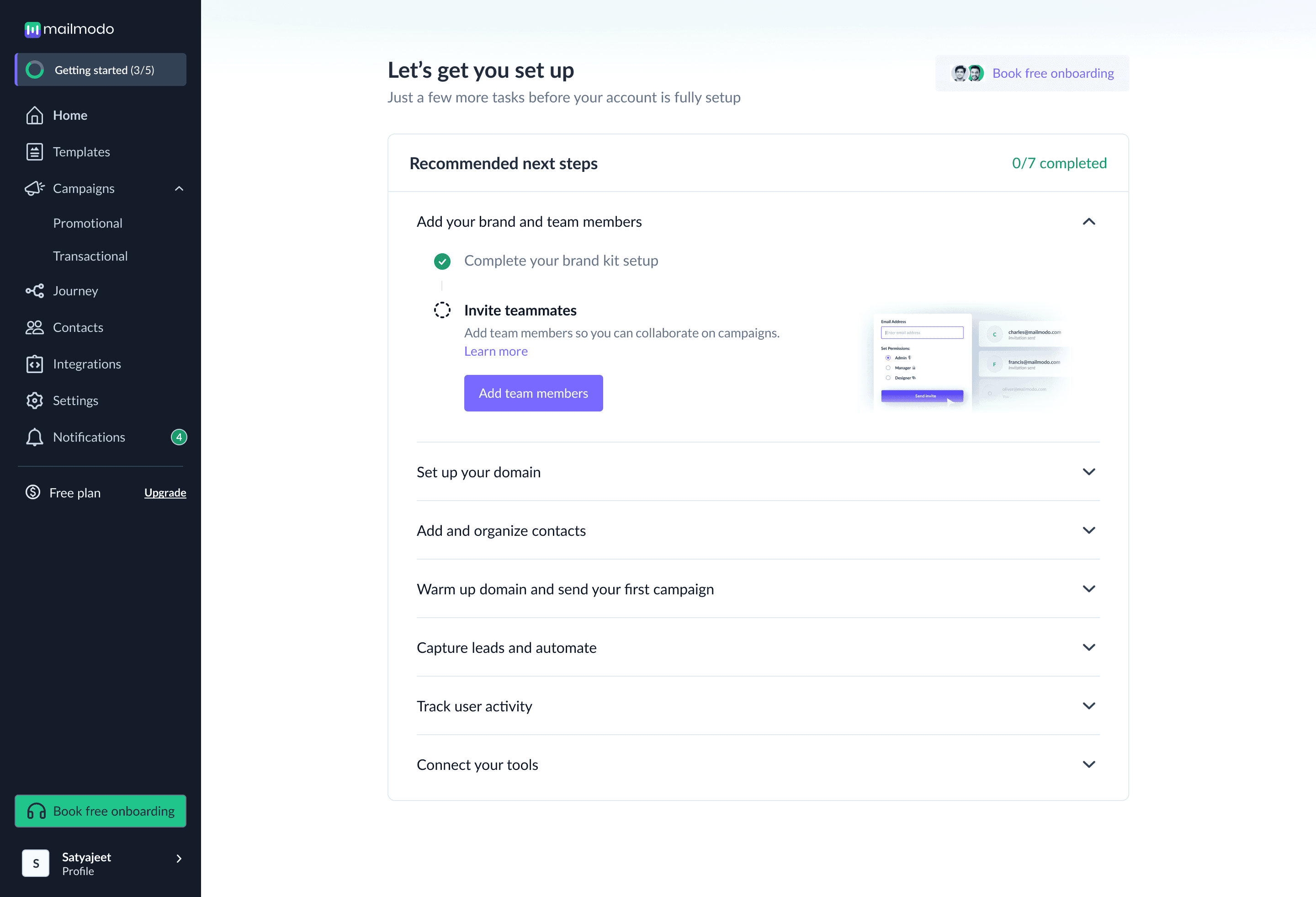
Invite teammates
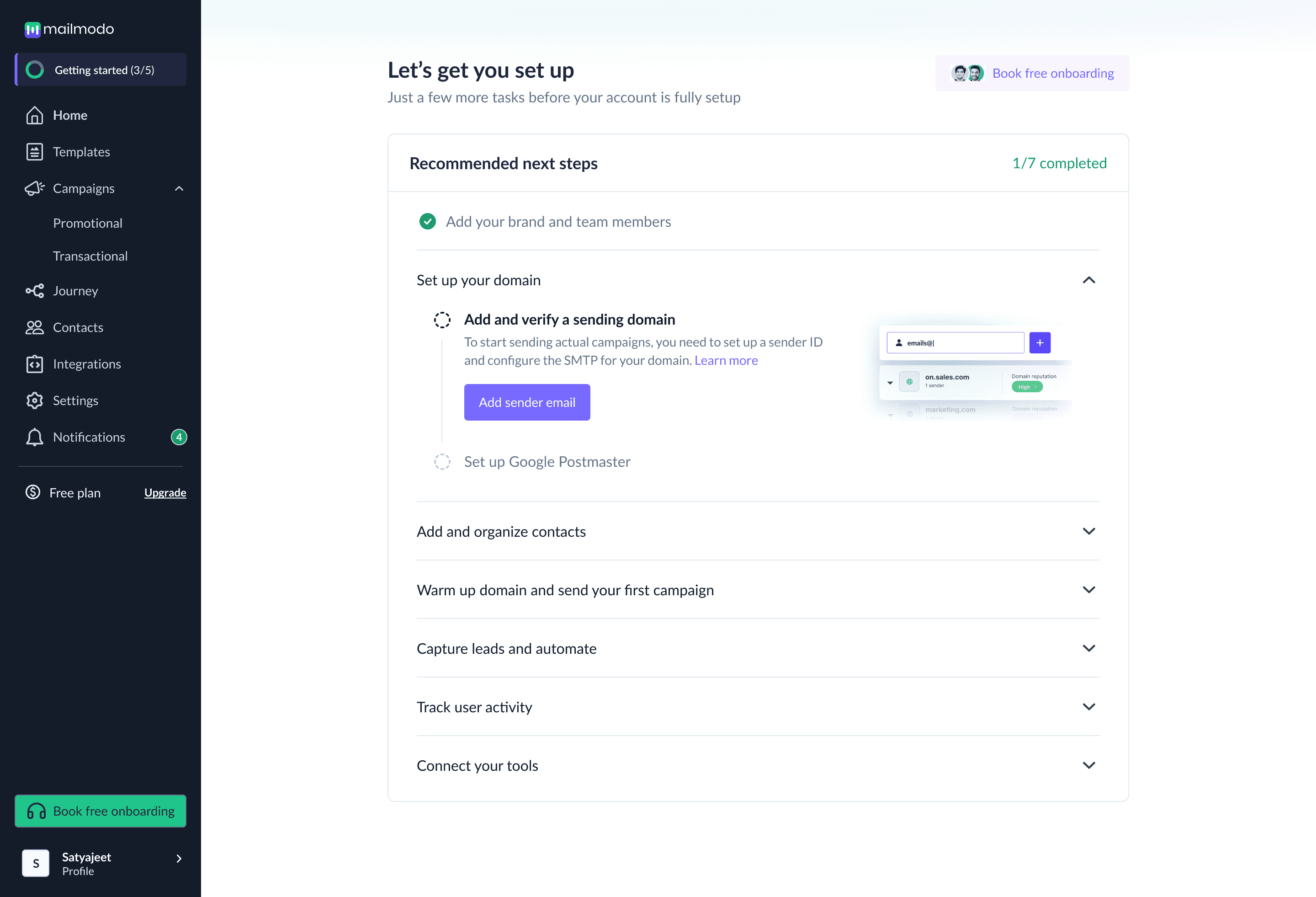
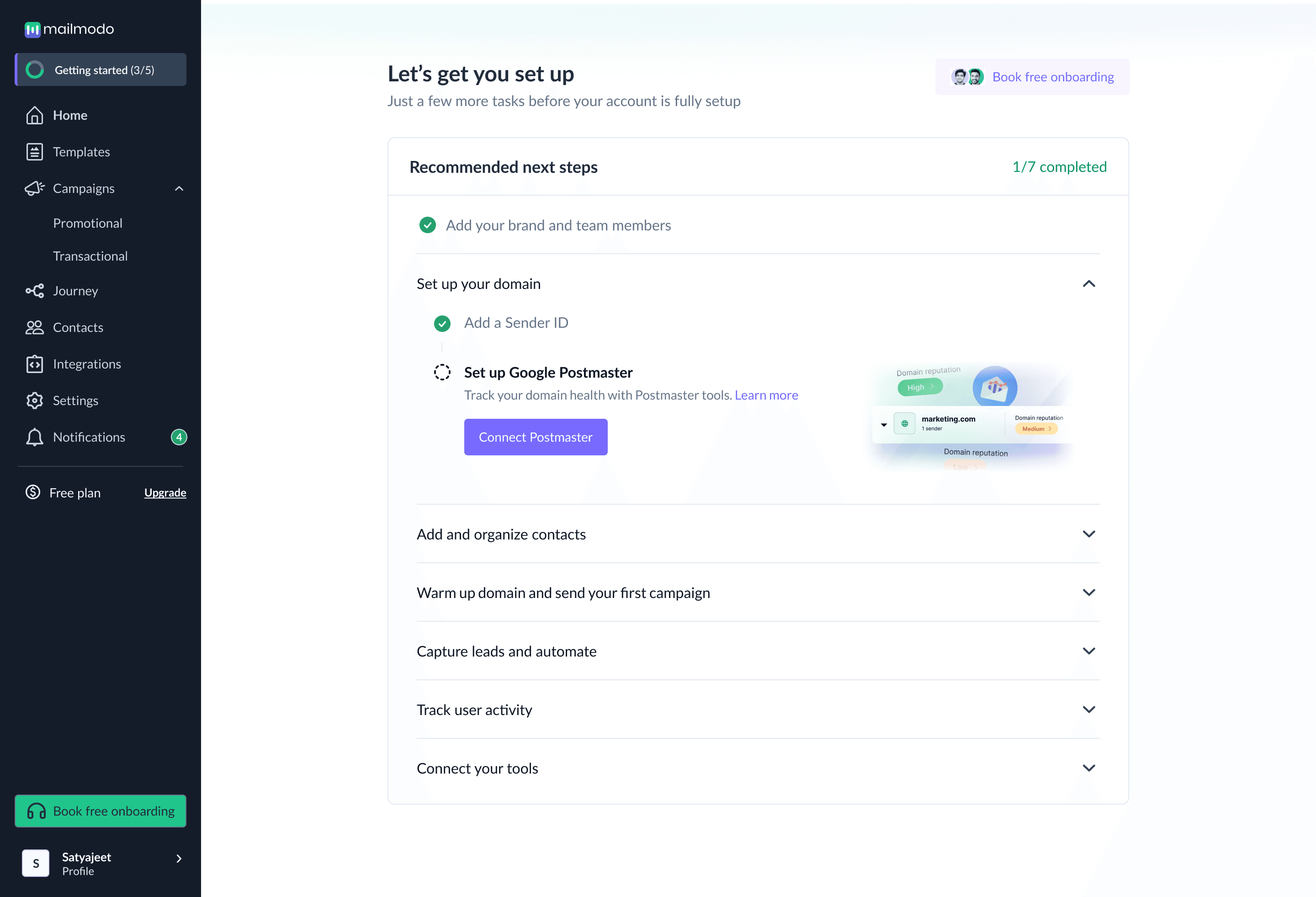
Step 3 : Add and organize contacts
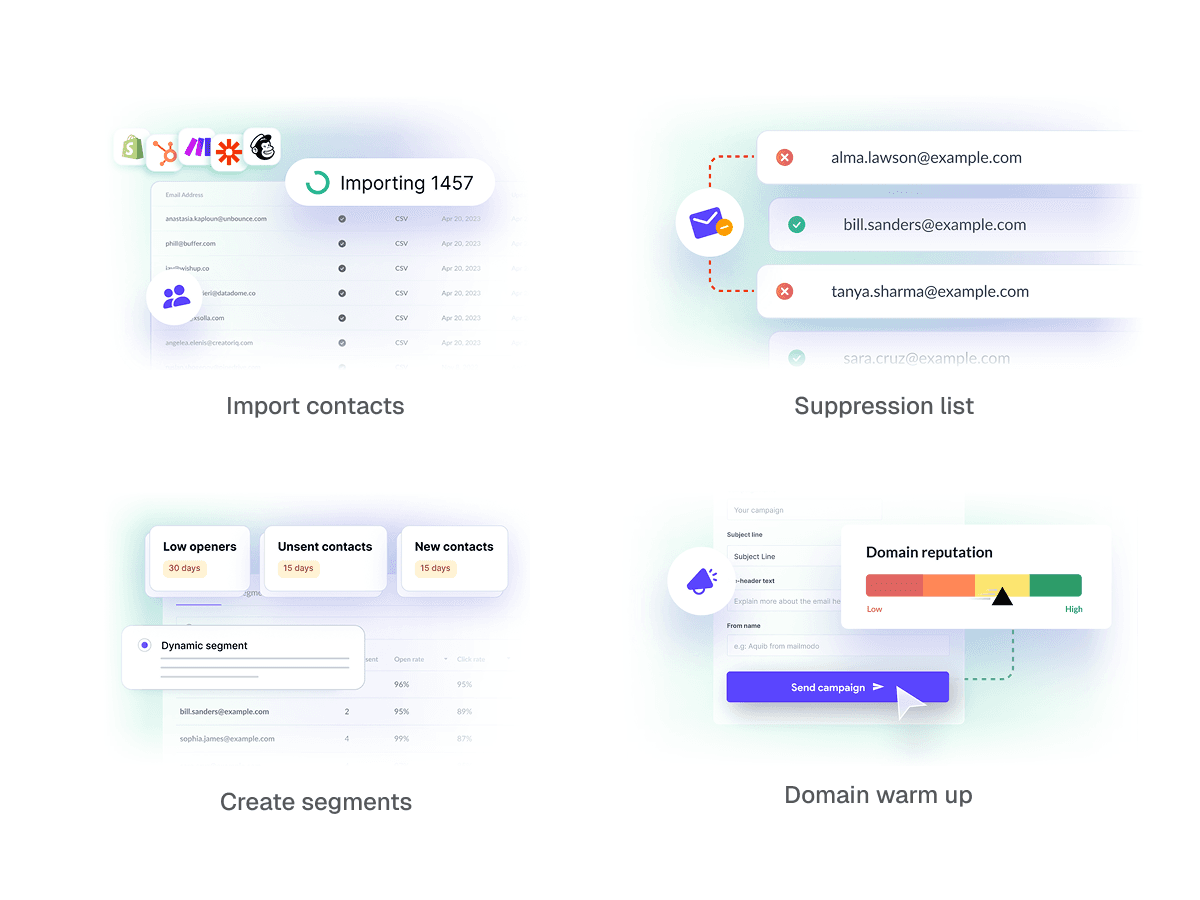
You can't send to anyone without a list. This step covers importing contacts via CSV, app integrations, or API and organising them into segments for targeted sends. It also surfaces list hygiene: excluding unsubscribed or blocked emails so users don't damage their domain reputation from the start.
Step 4 : Warm up domain and send your first campaign
This is the activation milestone the whole checklist builds toward sending a real campaign. But before blasting a full list, users need to warm up their domain: gradually increasing email volume so inbox providers learn to trust the sender. The step pairs warmup guidance with the moment of first send.
Step 5 : Capture leads and automate
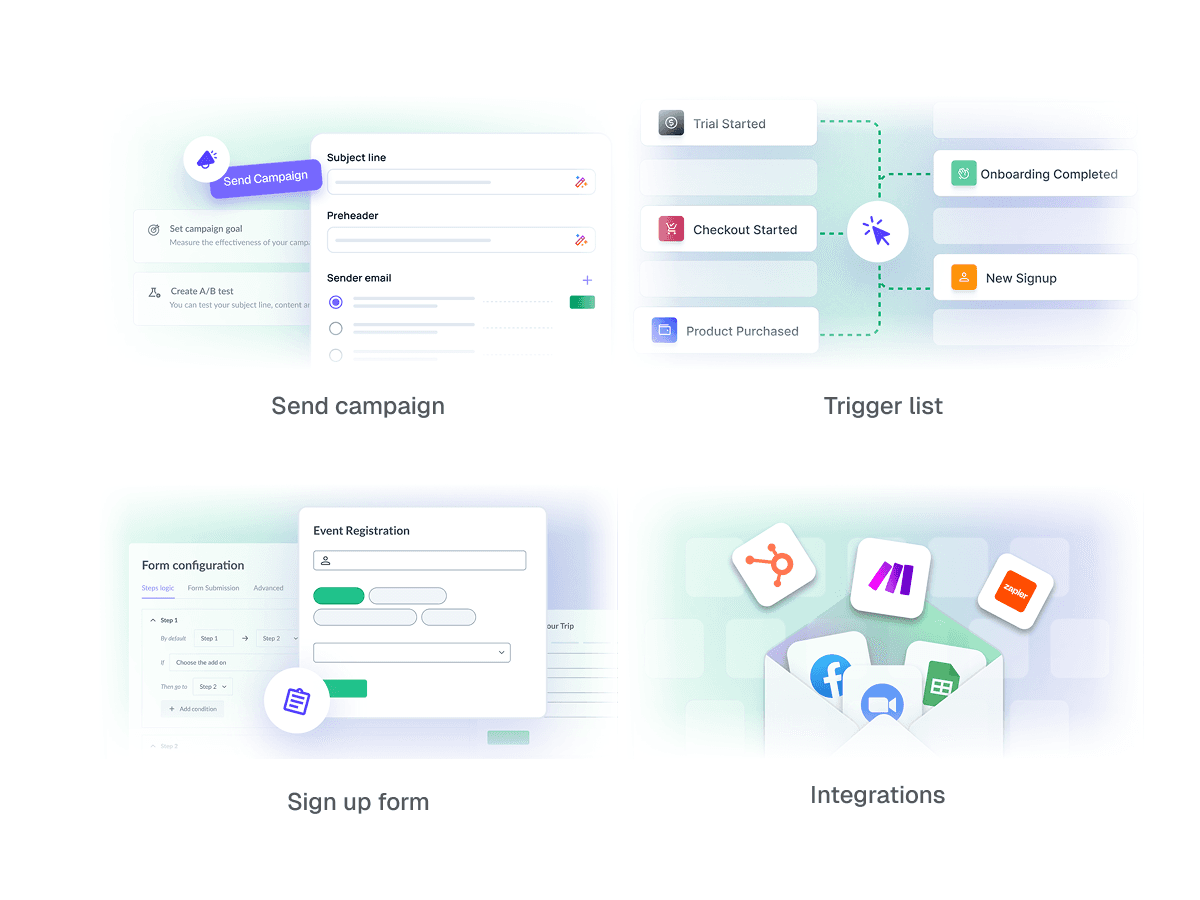
Once users have sent their first campaign, the next layer of value is automation. This step introduces lead capture embedding forms on their website and journey automation, so new leads get engaged without manual effort. It's where Mailmodo starts feeling like a system, not just a send button.
Step 6 : Track user activity
To send smarter campaigns, users need behavioural data not just a static list. This step walks them through sending user events like signups, purchases, or clicks back into Mailmodo, so they can trigger campaigns based on what users actually do.
Step 7 : Connect your tools
The final step extends Mailmodo into the user's existing stack CRMs, CDPs, and other apps they're already using. Once connected, contacts and events sync automatically, making Mailmodo part of their workflow rather than a separate tool to maintain.

Mailmodo had an existing Figma component library. My job wasn't to ignore it or to be constrained by it. It was to understand it well enough to know which decisions needed to be made from scratch, and which didn't.
Reused from system
Left sidebar navigation existing slot, spacing, active states
Primary button component for each step CTA
Typography tokens — heading, body, muted label sizes
Success green token for completed checkmark states
New contributions
Accordion component built and documented for reuse
7 custom illustrations one per step, built from scratch
Edge case states empty, partial, all completed
The accordion component didn't exist in Mailmodo's system before this project. I worked with the senior PM and engineer to define its behaviour — collapsed state, expanded state, completed state, CTA placement. After alignment, I documented the anatomy and spacing in Figma so it could be reused anywhere in the product, not just here.
Working directly with the engineer on handoff meant I could also resolve edge cases in real time rather than catching them post-implementation small things like padding behaviour when the preview illustration is taller than the description text, or how the chevron icon animates on expand.
States and anatomy of Accordion
The first thing a new user sees is a blank product. This step makes it theirs. Uploading a logo, brand colours, button styles, and social handles means every email they send from Mailmodo looks consistent from day one not like it came from a generic tool.
Each expanded step in the checklist contains a preview illustration a small visual on the right side that gives users a sense of what they're about to do before they click through. These didn't exist anywhere in the system, so I built all 7 from scratch in Figma. The constraint was that they had to feel native to Mailmodo's visual language.
After the Getting Started tab shipped, the team tracked activation across new accounts specifically the percentage of users who completed the key milestones identified in the PRD within their first week.
increase in domain verification rate among new signups in week 1
more users sent their first campaign within 7 days of signing up
of new users opened the Getting Started tab within 24 hours of signup
Qualitative feedback from the customer success team noted a reduction in early-stage "what do I do first?" queries the kind of question that signals a user who's lost before they've started. The checklist gave those users a place to anchor.
I learned that the order of actions shapes the experience as much as the interface itself.
A well-structured flow can reduce confusion even without adding new features.Onboarding is not a one-time event and users don’t learn everything in their first session.
Validate the sequence: The step order was based on logic, not user behaviour. I’d test it with real users to ensure it matches how they think.
Design for completion: The experience ends passively after all steps. I’d add a completion moment to guide users forward.
I’d validate key decisions with quick usability tests before finalizing the design.